Overview of Staff Certifications & Credentials
In SchoolFi every staff member has a Certifications and Credentials tab within their profile. It is recommended to use these screens to better track your staff's licenses/endorsements within these screens.

If you do not see the Certification you need in the dropdown, select the hyperlink. This will take you to the Codes table where you can enter in the Code and Description. Once you save and go back to the Certifications screen the new option will be listed.


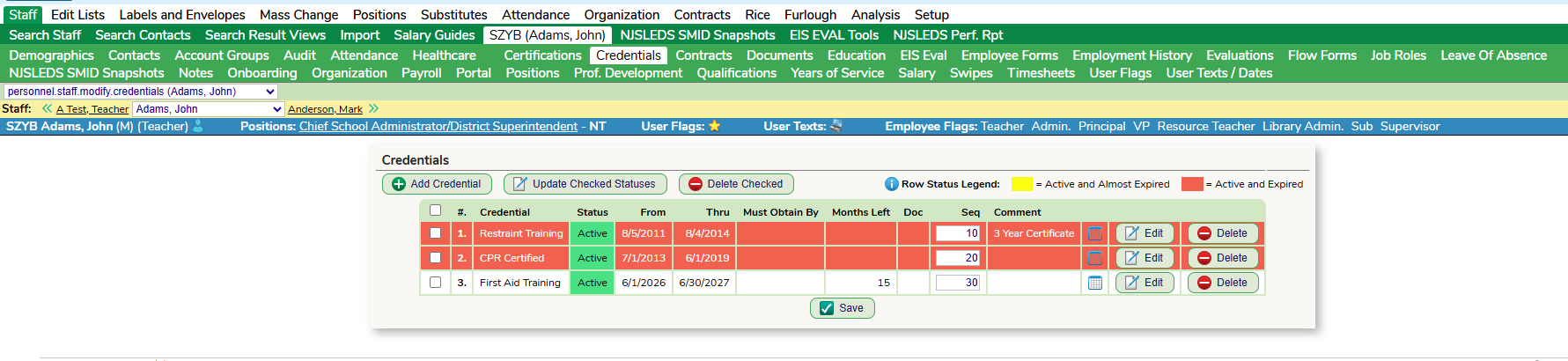
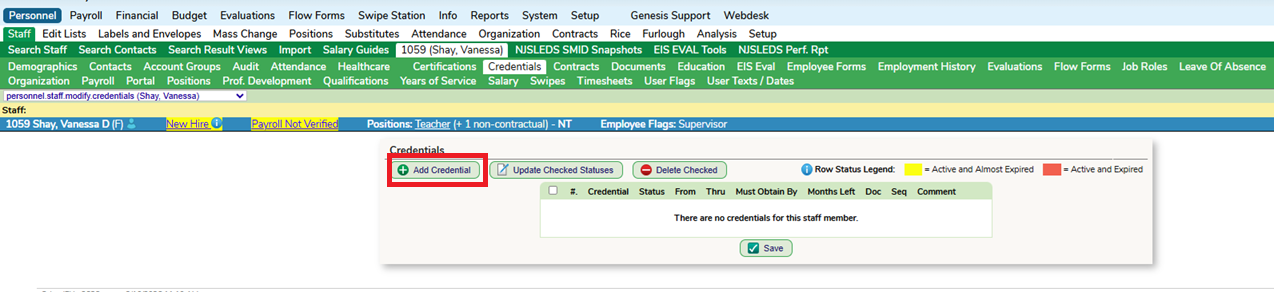
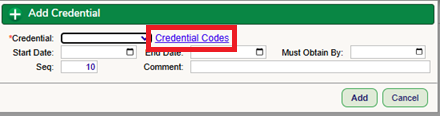
If you do not see the Credential you need in the dropdown, select the hyperlink. This will take you to the Codes table where you can enter in the Code and Description. Once you save and go back to the Credentials screen the new option will be listed.
Analysis
To manage the staff Certifications and Credentials, districts can use the Personnel - Analysis - Certifications / Credentials screens. All reports/searches on this screen can be exported to excel.

Overview of Position Certifications & Credentials
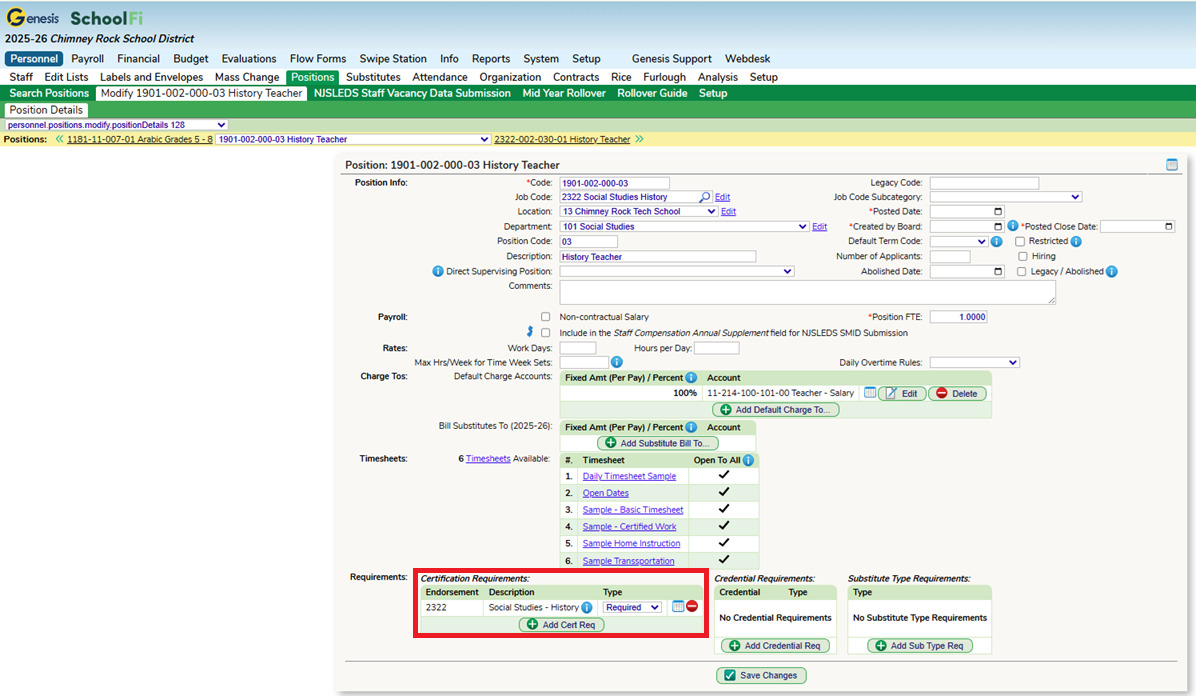
Within a Position Code, there is an option to add in Certification & Credential Requirements. This section is important if the district is running the CRDC Report from SchoolFi. All Position Codes that will be reported will need to be setup with Certifications that staff need to hold in order to hold that position.
If there are multiple certifications that would be accepted then instead of making the type "Required", the district would select "Acceptable".
The Credential field works the same way, however, it is not a requirement to set this up to run the CRDC Report in SchoolFi.

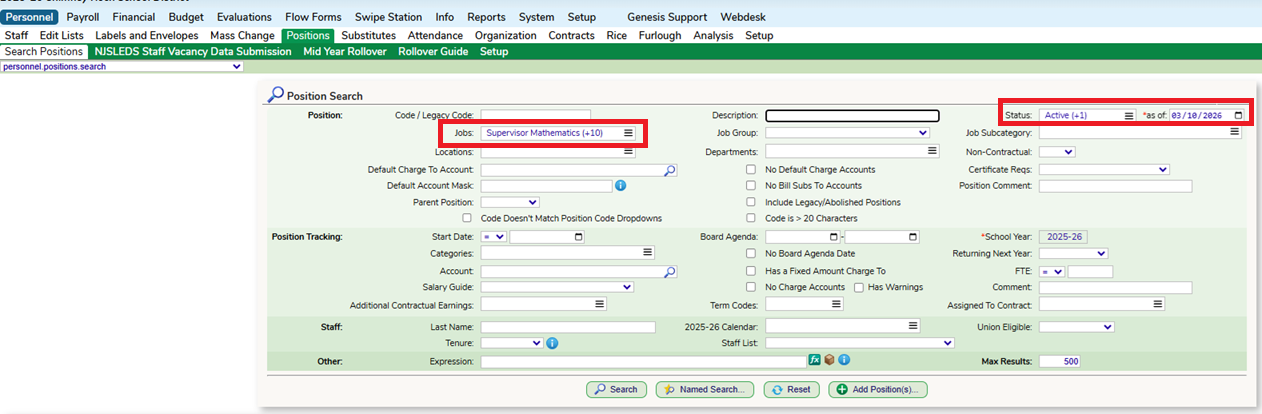
You can mass add Certifications to Positions on the Personnel - Positions screen. Run a search for a group of Positions. In this example I am pulling all Math Job Codes, making sure to include all active and vacant positions in my search.
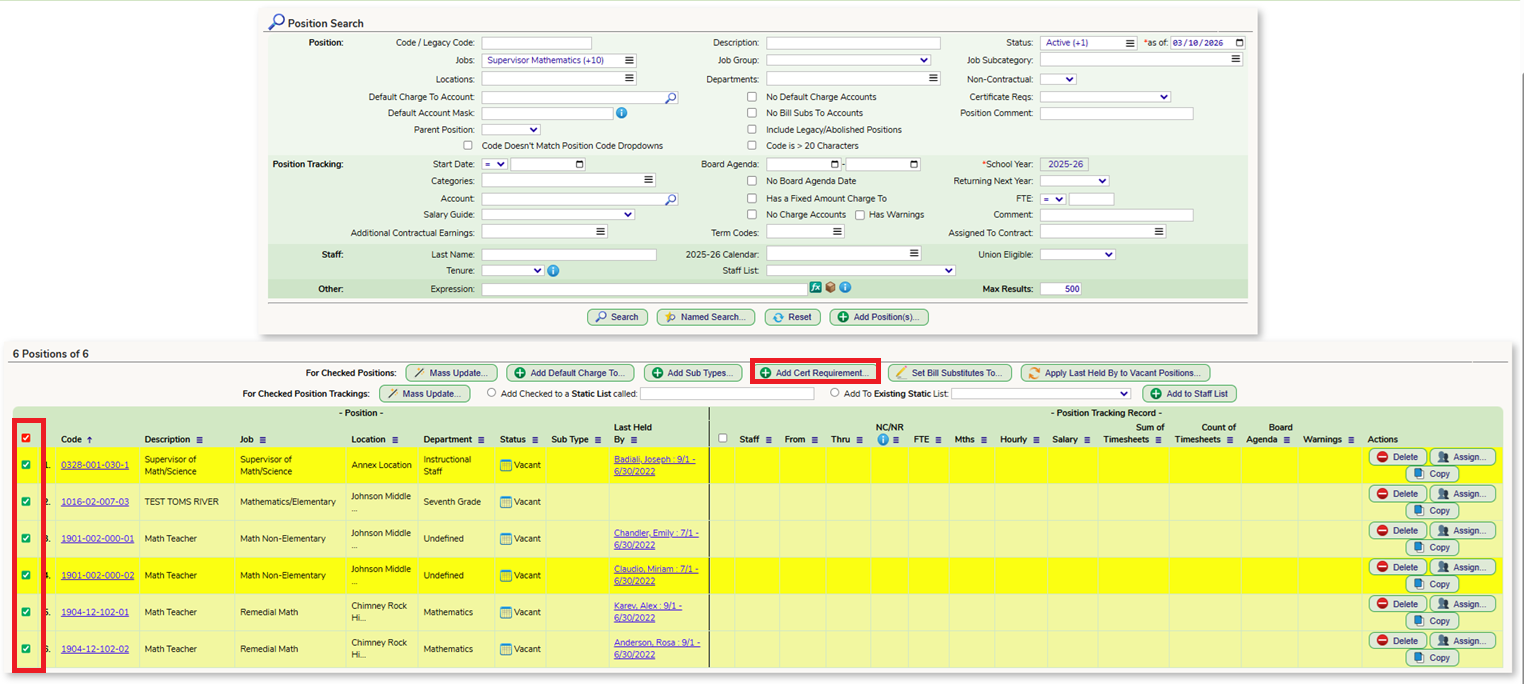
Once the results are populated, you can check the ones you want to update and click on the "Add Cert Requirement" button.
In the popup, select the endorsements and whether it is a requirement or acceptable.

Once a Position Code has all the possible certifications that would be accepted, if they match the staff members certification records then the position will look like this. This position would be counted towards the report.

If the staff member does not hold the correct certifications for that position, the record will look like this. This position would not be counted towards the report.

Using CRDC and other state reports
For reports like the CRDC, staff will not be counted towards holding a certified position unless their certifications match the ones listed within the Position Code. The connection comes from the endorsements listed on the Staff Certification screen compared with the Certification Requirements within the Position Code.
For more information on the CRDC Report: CRDC - Civil Rights Data Collections Article
Was this article helpful?
That’s Great!
Thank you for your feedback
Sorry! We couldn't be helpful
Thank you for your feedback
Feedback sent
We appreciate your effort and will try to fix the article