If the district has to complete the Occupational Employment and Wage Statistics (OEWS) Report, we have prepared a search result view that can be incorporated with the Payroll >> Paid Analysis >> Payroll records to create an excel sheet with the data that the District may need to complete the report. As you are aware this is the way that Custom Excel Reporting (AKA Report Writer) function works in SchoolFi.
We know that not all the data for the columns is stored in SchoolFi and that the District will need to manipulate the data to enter it in the proper columns / values in accordance with the requirements of the State of NJ.
The Search Result View is attached to the article and can be downloaded and imported into your instance of SchoolFi and utilized in Creating a Custom Excel Report utilizing Payroll Data.
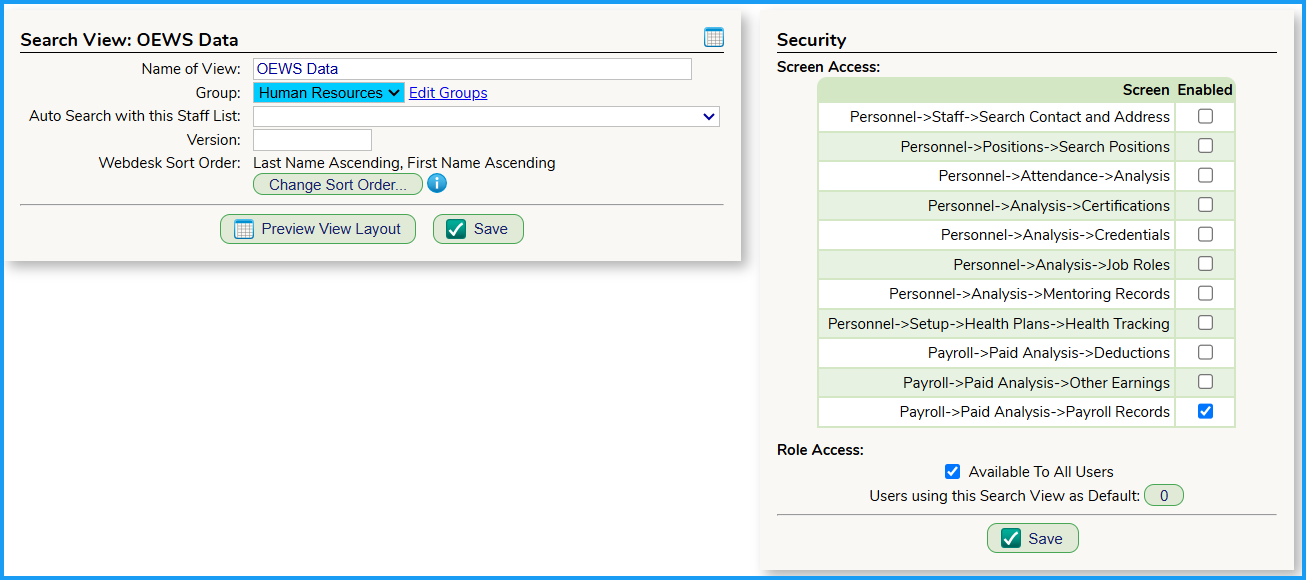
Once the search OEWS Data Search Result View is imported, the recommended settings for the Search Result View are as follows:
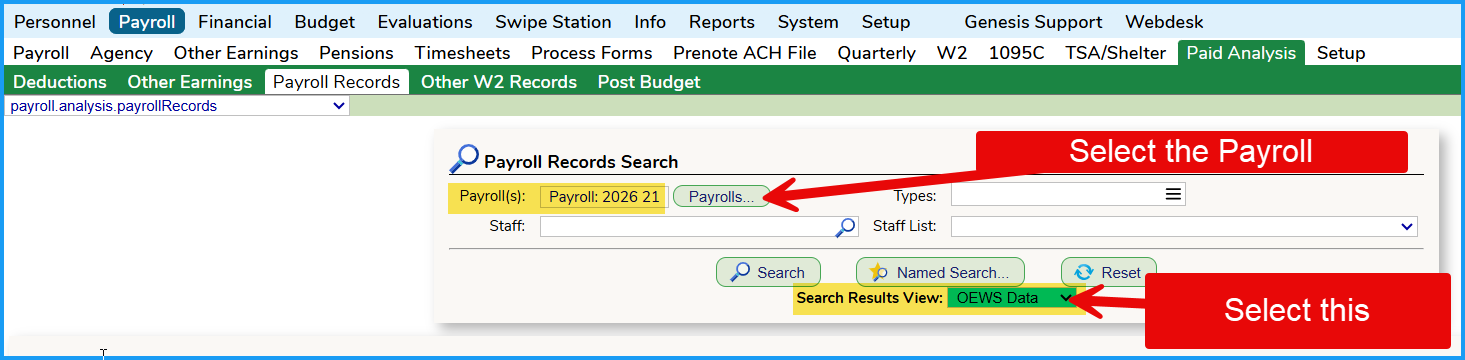
And when you create the Custom Excel Report from the Payroll > Paid Analysis > Payroll Records screen, you might want to utilize the following parameters:
Was this article helpful?
That’s Great!
Thank you for your feedback
Sorry! We couldn't be helpful
Thank you for your feedback
Feedback sent
We appreciate your effort and will try to fix the article