Districts can designate individual Other Earnings as Qualified Overtime. This designation will assist the district in collecting, analyzing and reporting on Qualified Overtime for the One Big Beautiful Bill Act (OBBBA).
Designating an Other Earning as Qualified Overtime
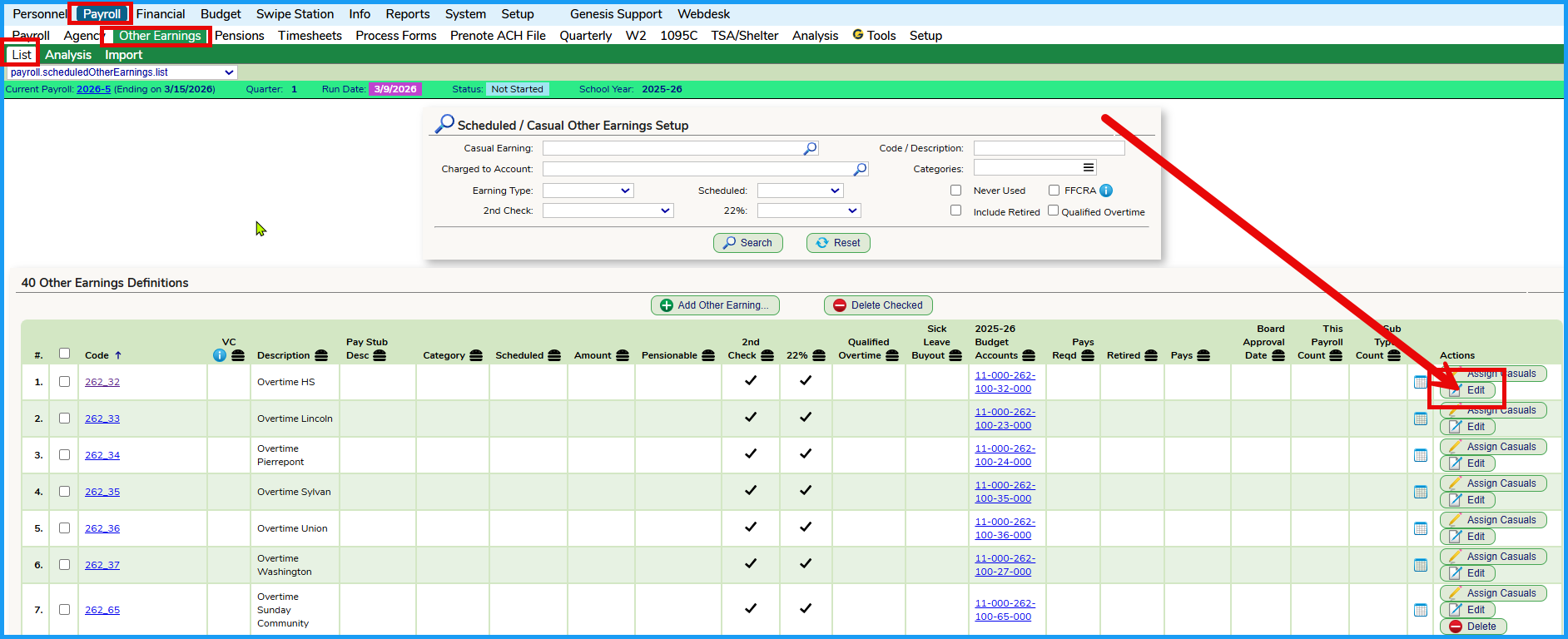
Navigate to the Payroll >> Other Earnings >> List tab, search for the Other Earning that you want to designate as Qualified Overtime and click on the Edit button to edit the Other Earning. PLEASE NOTE that designating an Other Earning as Qualified Overtime is a function ONLY the Business Administrator can set as access to the setting is restricted ONLY to Business Administrators.
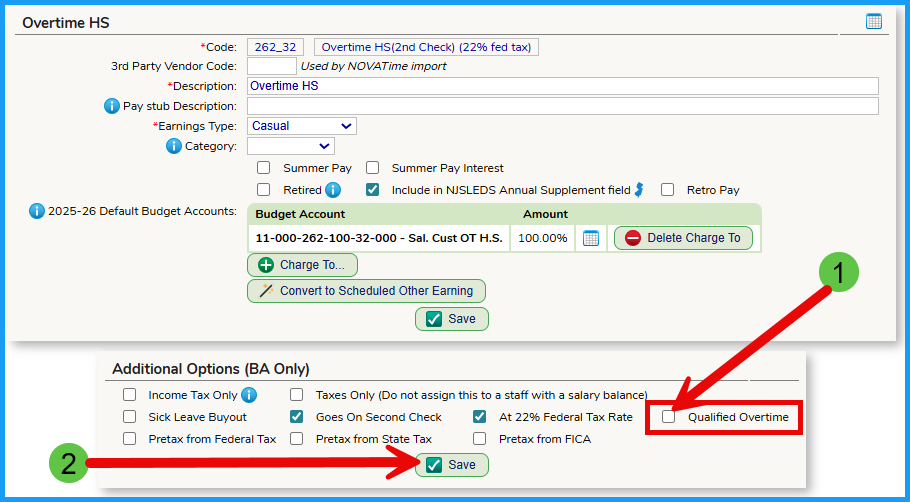
To designate the Other Earning, click on the check box highlighted below and then save the change.
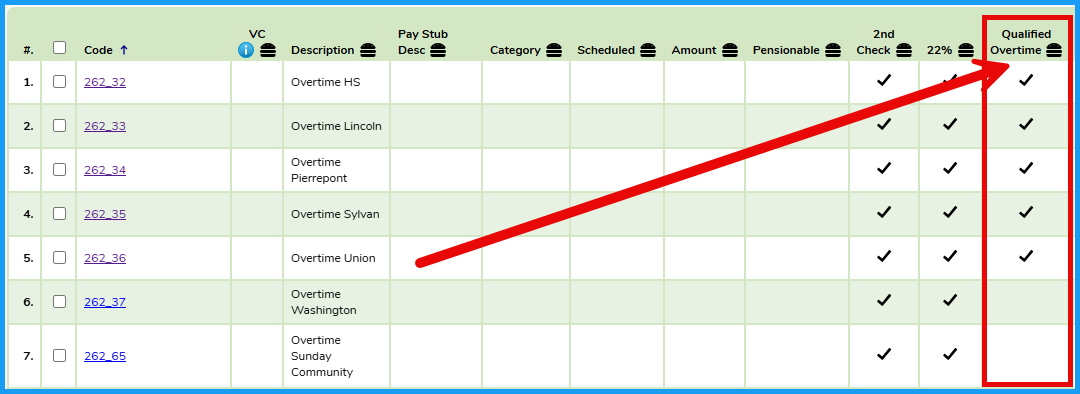
You can search / sort the list of Other Earnings to review which are designated as Qualified Overtime as follows:
Was this article helpful?
That’s Great!
Thank you for your feedback
Sorry! We couldn't be helpful
Thank you for your feedback
Feedback sent
We appreciate your effort and will try to fix the article