Qualified Overtime (Box 12 / Code TT): Reviewing and Analyzing paid other earnings

Modified on Thu, Mar 5 at 2:03 PM

The are two (2) tabs that District can utilize to review and analyze Other Earnings that have been designated Qualified Overtime.  


Utilizing the Payroll >> Other Earnings >> Analysis tab:

A search can be processed utilizing the search parameters on the tab and the District should check the Qualified Overtime search parameter highlighted below to identify, review and analyze payroll transactions that have been processed in SchoolFi.  The data can be exported to Excel by clicking on the Excel icon on the tab.  


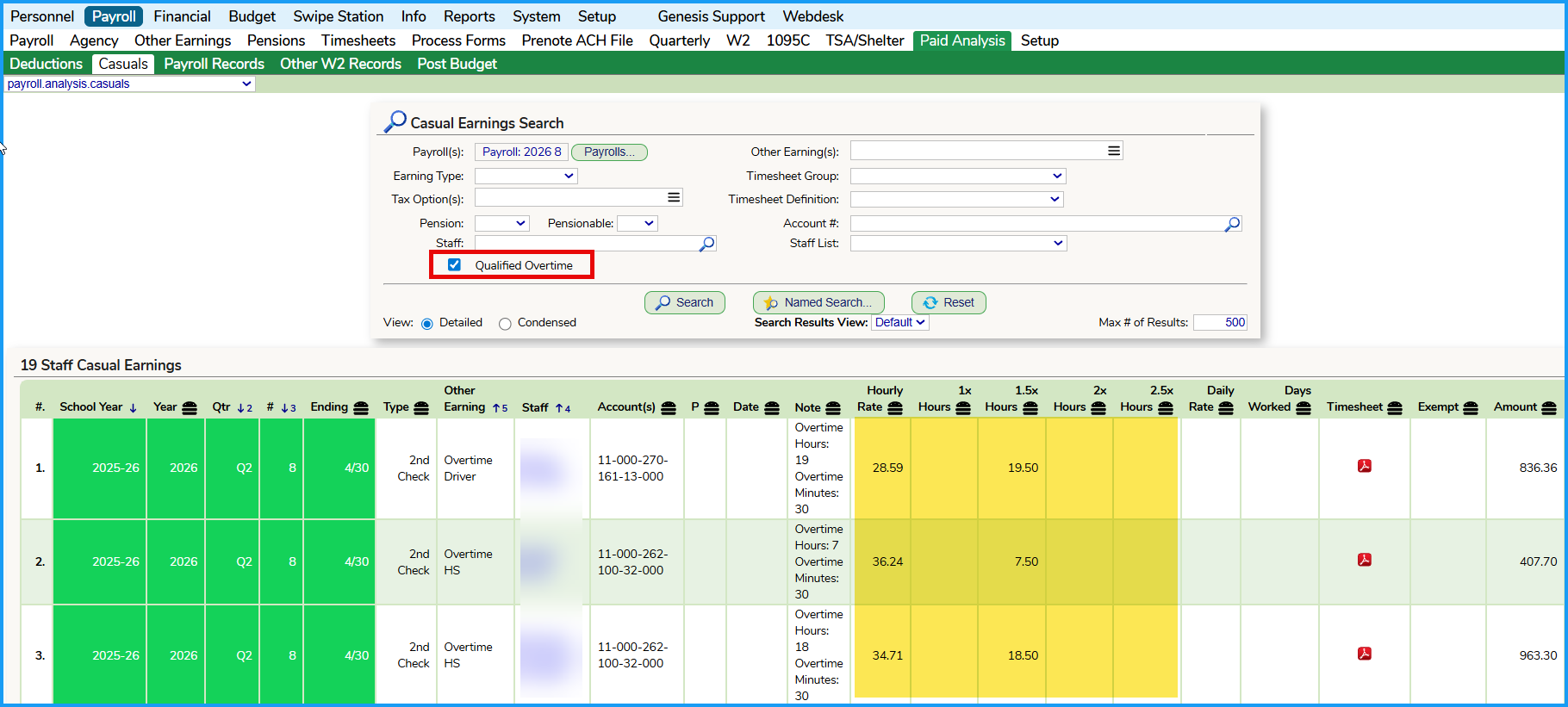
Utilizing the Payroll >> Analysis >> Casuals tab:

A search can be processed utilizing the search parameters on the tab and the District should check the Qualified Overtime search parameter highlighted below to identify, review and analyze payroll transactions that have been processed in SchoolFi.  The data can be exported to Excel by clicking on the Excel icon on the tab.  


When the 2026 W2s are prepared and reviewed, this tab will be integral in identifying the Qualified Overtime that will be reported in Box 12, Code TT.  

Was this article helpful?

That’s Great!

Thank you for your feedback

Sorry! We couldn't be helpful

Thank you for your feedback

Let us know how can we improve this article!

Select at least one of the reasons
CAPTCHA verification is required.

Feedback sent

We appreciate your effort and will try to fix the article