At the end of the tax year, the District will have the ability to review, analyze, and report the Qualified Overtime in Box 12 utilizing Code TT.
The TT Tools tab is currently under construction and the anticipated release date is July 15, 2026. Districts can rest assured knowing that if they followed the direction posted in the Knowledgebase since the summer of 2025, the TT Tools tab will integrate with the Payroll >> Paid Analysis >> Other Earnings tab for the identification of Qualified Overtime.
As with all of the reporting tabs in SchoolFi, the District will have the ability to manually override an individuals data for reporting purposes.
In addition, just like the DD Tools tab, Districts will have the option of importing the TT records for W2 reporting purposes with the option of combining with or replacing the Qualified Overtime information in SchoolFi.
What can we do to prepare for the reporting of Qualified Overtime?
Genesis first published the Preparing for the Federal Bill H.R. 1, "One Big Beautiful Bill" (OBBB) Act Knowledgebase article on July 17, 2025 and our recommendation has not changed for preparing to report for Qualified Overtime.
The recommendations from the article are as follows:
- Districts who utilize the SchoolFi electronic timesheets that are properly set up in accordance with our recommended settings (utilizing the daily overtime rules) will be able to extract all of the overtime hours on the Payroll >> Paid Analysis >> Other Earnings tab.
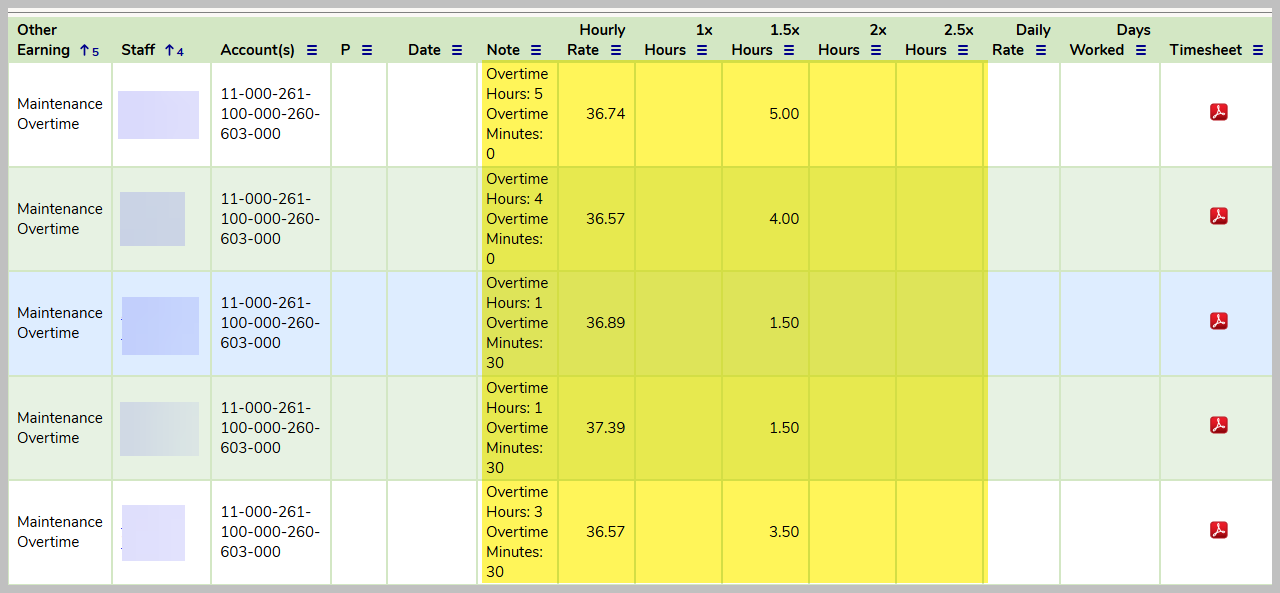
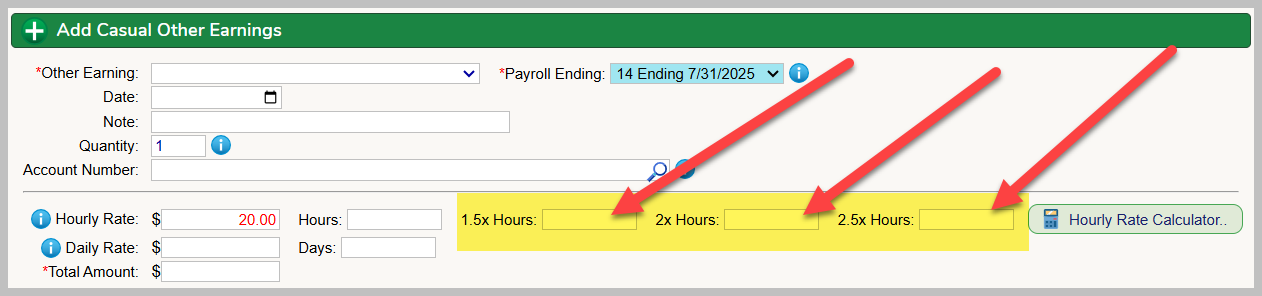
- Districts that manually enter casual earnings that follow our recommended procedures for manually creating an other earning relative to overtime will be able to extract all of the overtime hours on the Payroll >> Paid Analysis >> Other Earnings tab. When an other earning is manually entered into the system for overtime, we always recommend the district complete the field highlighted below and these fields in conjunction with the hourly rate will easily identify overtime hours paid.
- Districts also have the option of importing casual earnings along with the hourly rate and the hours detail. Please review the article for additional details for Importing Casual Other Earnings article.
- Districts that manually enter casual earnings and DO NOT follow our recommended procedures for manually creating an other earning relative to overtime (highlighted boxes above are not filled in) will NOT be able to extract all of the overtime hours from SchoolFi. These Districts will have to manually review all of their supporting documentation and compile the necessary data for any identification of overtime hours and pay.
How do we review, adjust and lock-in Qualified Overtime payments for staff members PTO that the District believes should be included in the staff member's TT amount under the OBBBA?
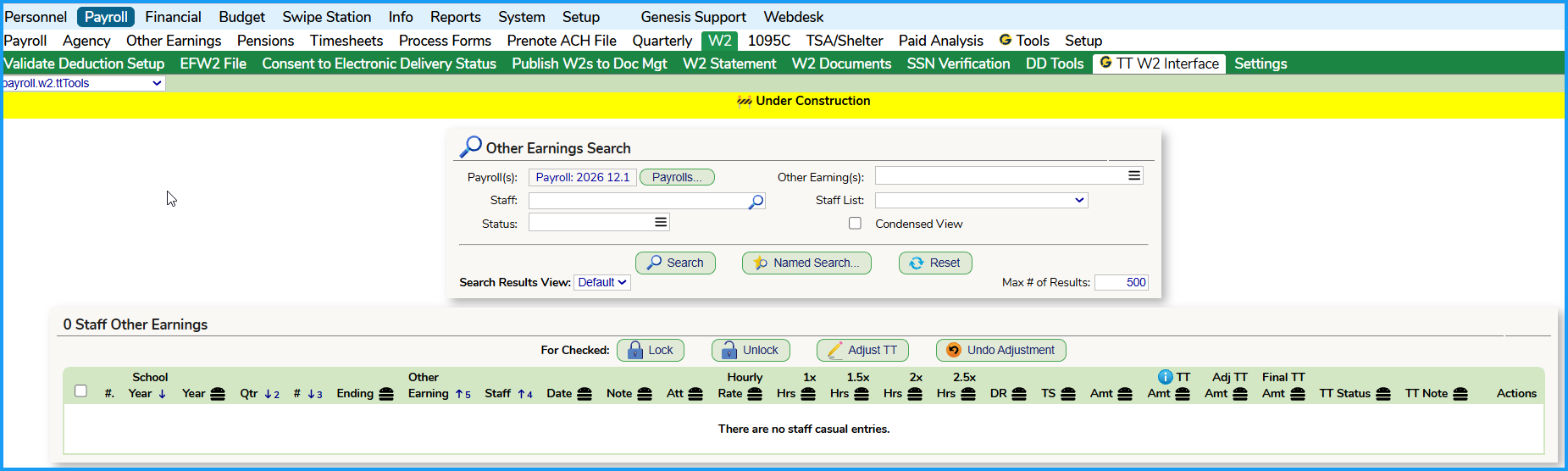
When the TT Tools tab is released, Districts will be able to review, adjust and lock-in the Qualified Overtime information that is extracted from the paid and finalized payrolls on the Payroll >> W2 >> TT W2 Interface tab.
Was this article helpful?
That’s Great!
Thank you for your feedback
Sorry! We couldn't be helpful
Thank you for your feedback
Feedback sent
We appreciate your effort and will try to fix the article