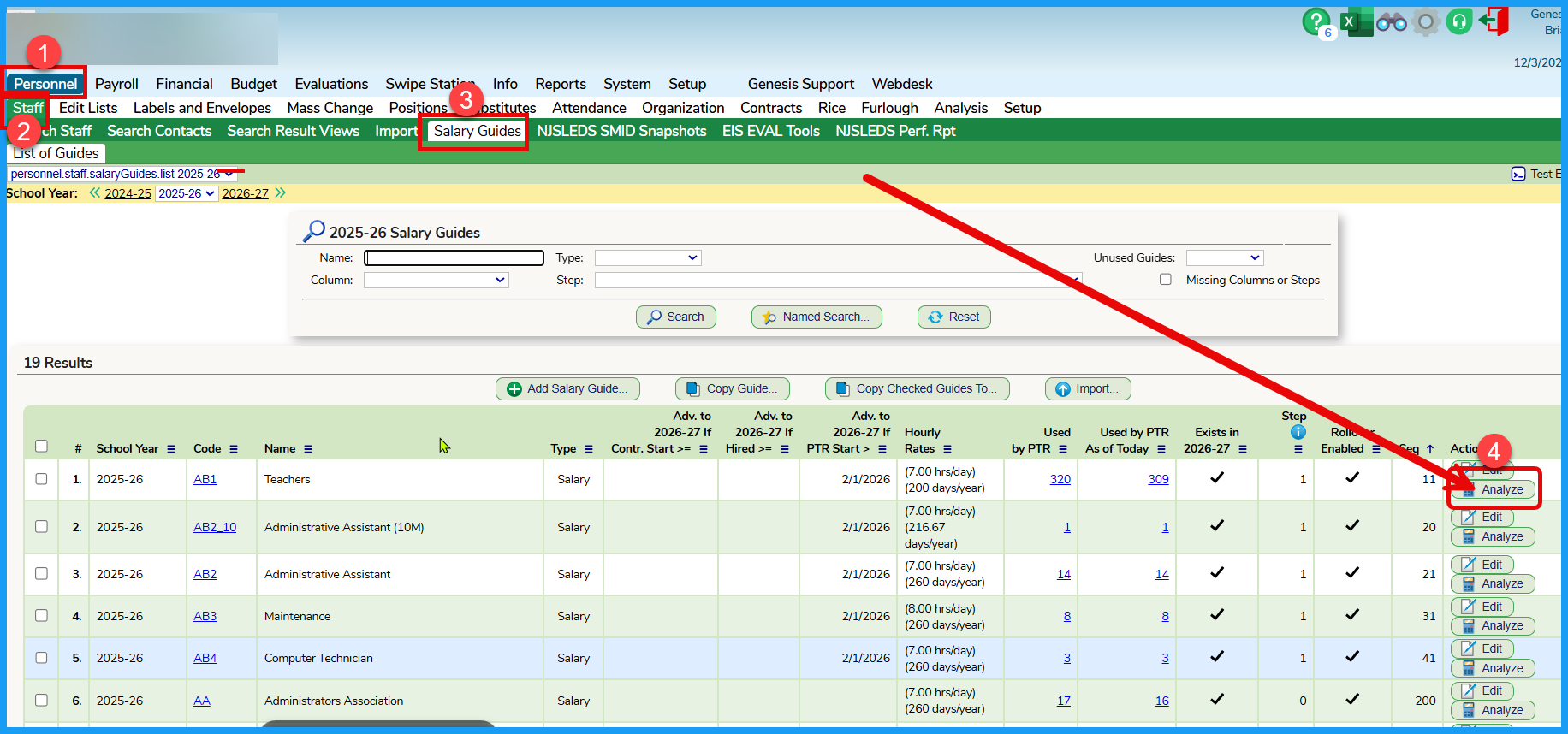
To produce a scattergram, navigate to the Salary Guide tab, find the salary guide and click on the Analyze button:
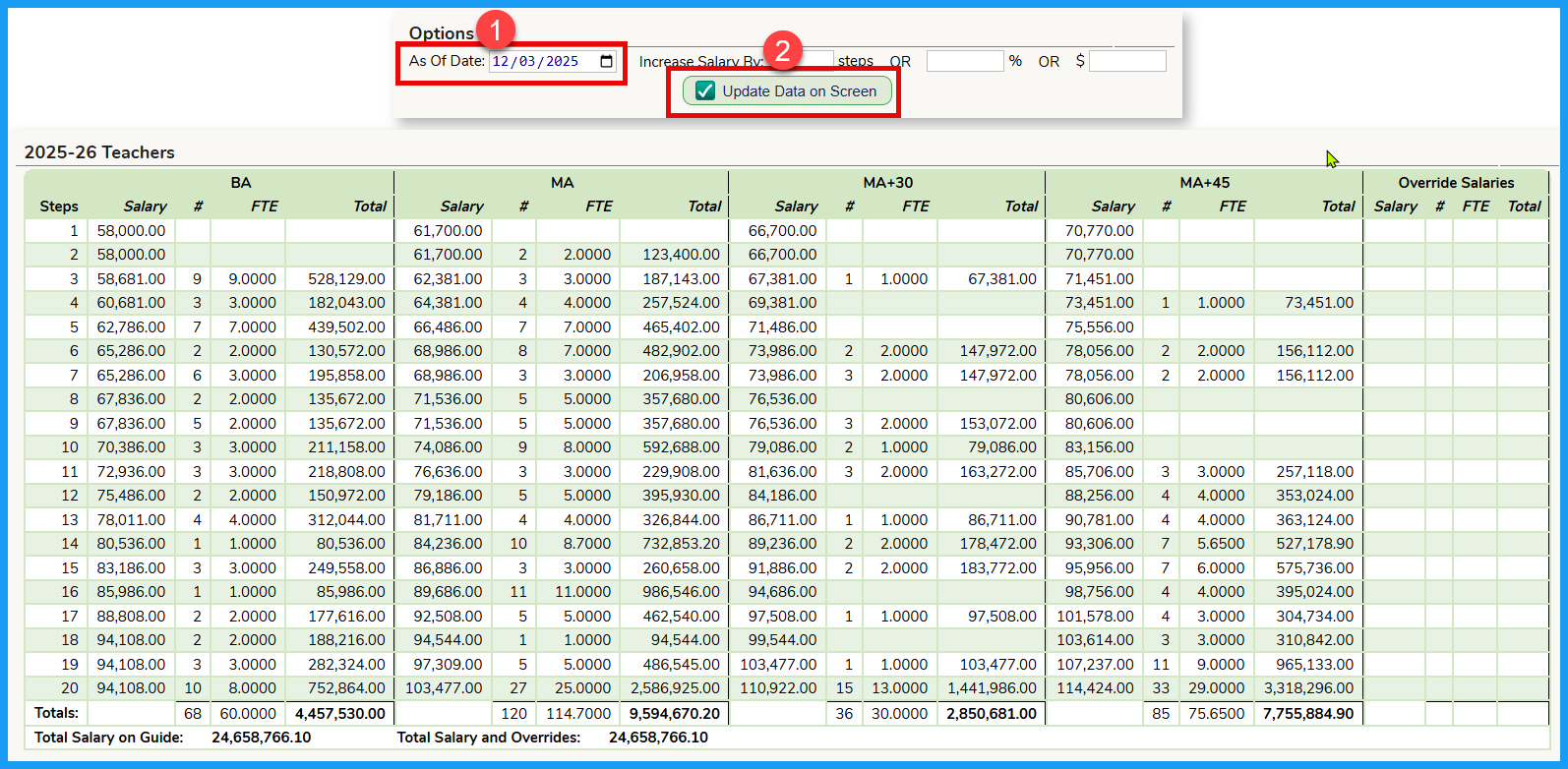
You can set the date for the scattergram and when complete, you can either print the scrteen or export to a formatted file in Excel.
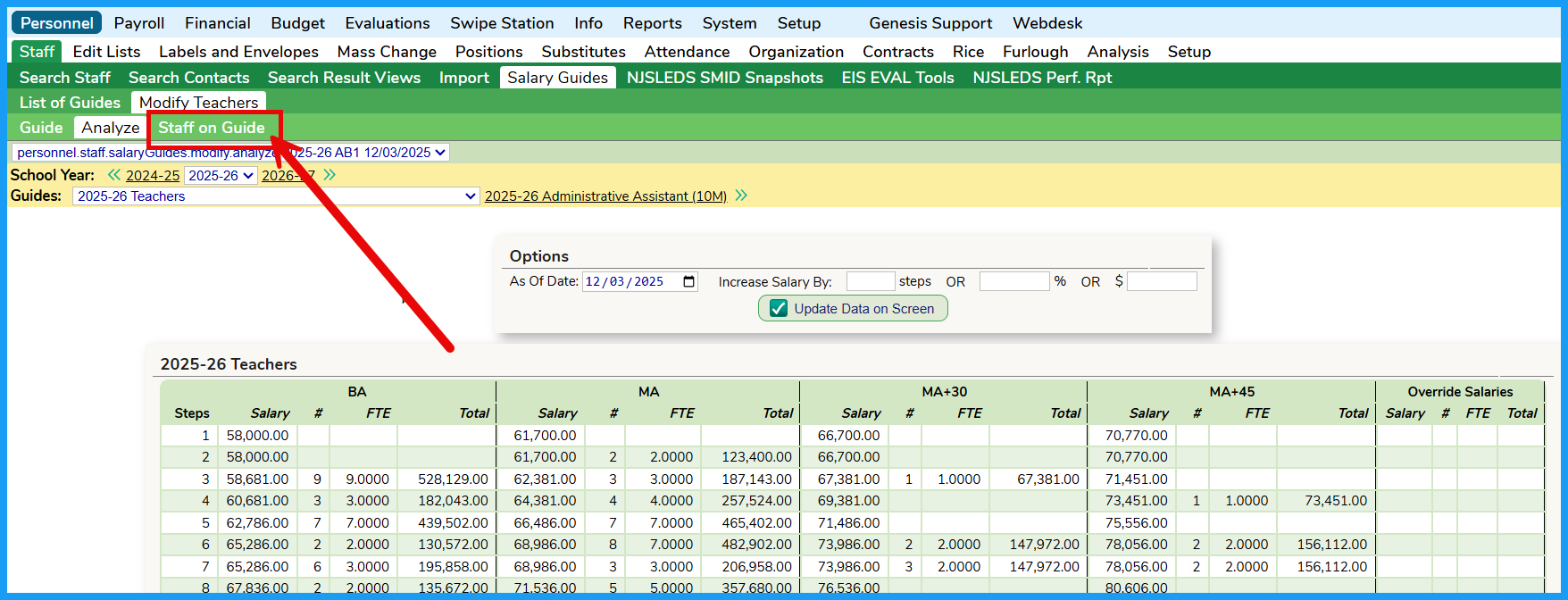
To review the details of the Scattergram, click on the Staff on Guide button for a detailed list of individual contained in the Scattergram. This list can be exported to Excel.
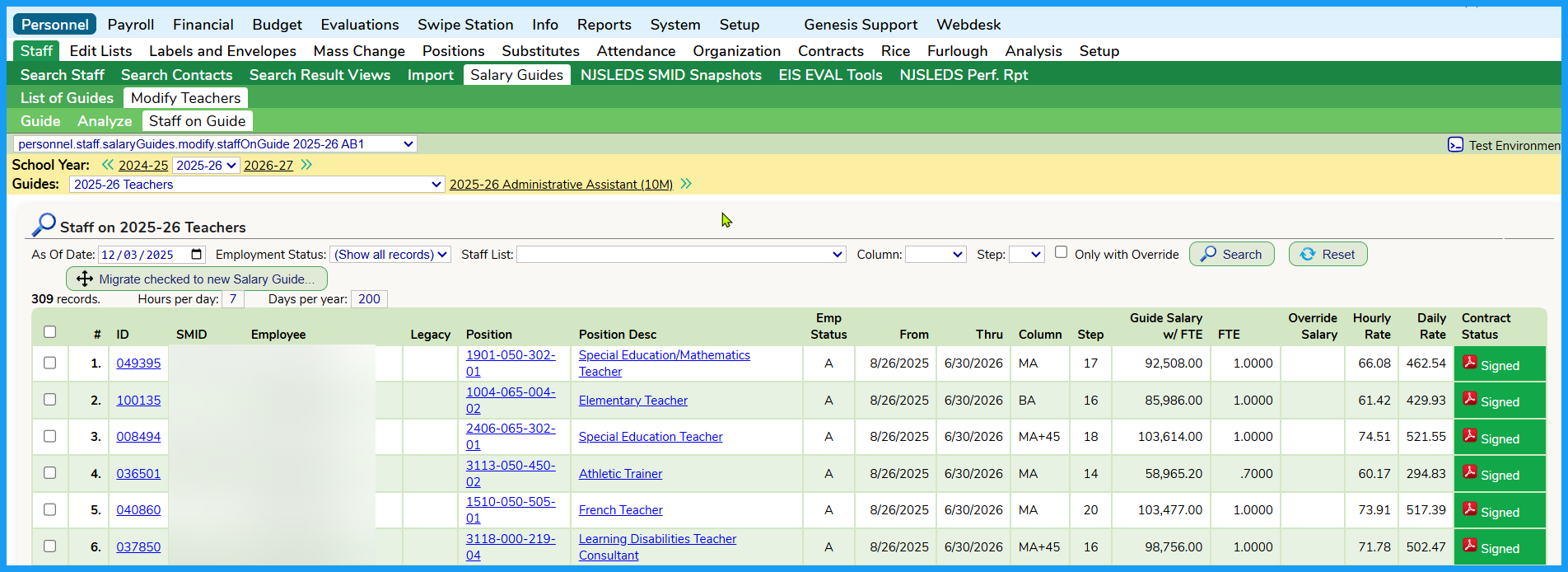
When you are on the Staff on Guide tab, you can utilize the search fields to limit the data on your screen.

Was this article helpful?
That’s Great!
Thank you for your feedback
Sorry! We couldn't be helpful
Thank you for your feedback
Feedback sent
We appreciate your effort and will try to fix the article