To see the following account details from accounts charged to the Contractual Payroll Purchase Order, follow the instructions below.
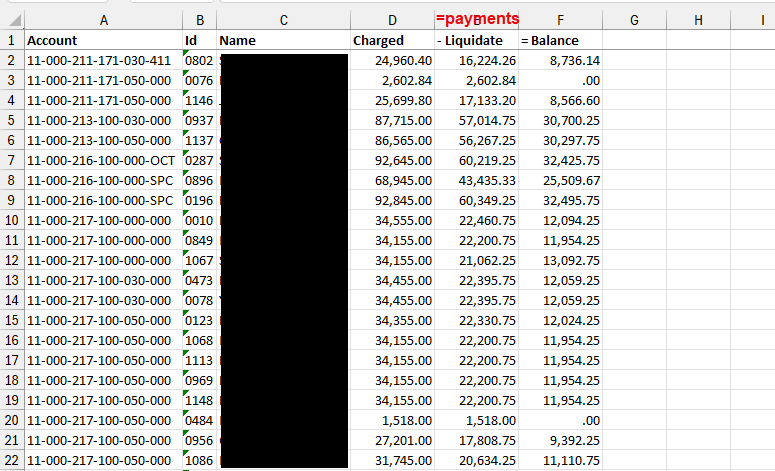
What you can see:
- Account number
- Staff member(s) charged to the account number
- Original Encumbrance amount (Charged column)
- Payments made to date (Liquidate column)
- Balance as of today's date
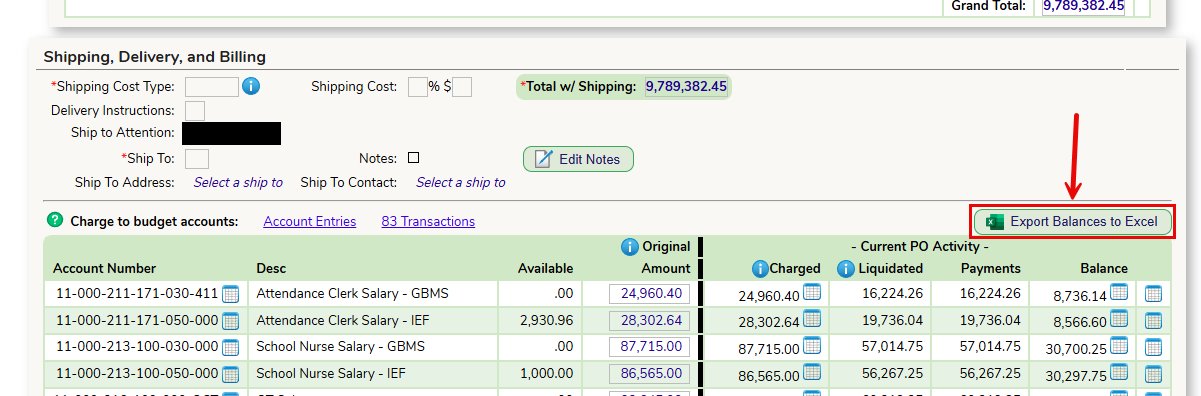
To view the data and export it to Excel, from the Contractual Payroll Purchase Order, click on the Export Balances to Excel button at the top of the Charge To section.
The data is exported to Excel and displays the following data:
Was this article helpful?
That’s Great!
Thank you for your feedback
Sorry! We couldn't be helpful
Thank you for your feedback
Feedback sent
We appreciate your effort and will try to fix the article