Released November 2026
Designed to bring clarity and structure directly to your notes, Rich Text Comment Boxes introduce formatting tools such as including bold, italics, underline, and bulleted or numbered lists. Even better, your formatting doesn't stay trapped on the screen: any styling you apply in a Rich Text Comment Box will carry over and render identically in your exported PDF outputs.
In this article, we walk you through how to make the switch, explore the new formatting capabilities, and show you how to get the most out of your exported reports.
New Rich Text Comment Box
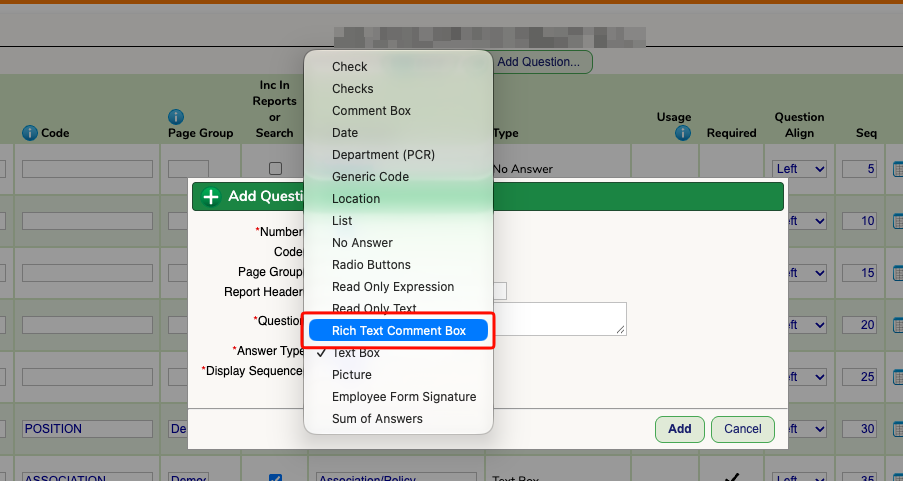
As of November 2026, Rich Text Comment Boxes are now available as a Answer Text in all Web Forms. When in a Web Form and adding a question (or revising an existing question) you will now see a new Answer Type called "Rich Text Comment Box". By selecting this option, you will allow the formatting features listed above to become available for use.
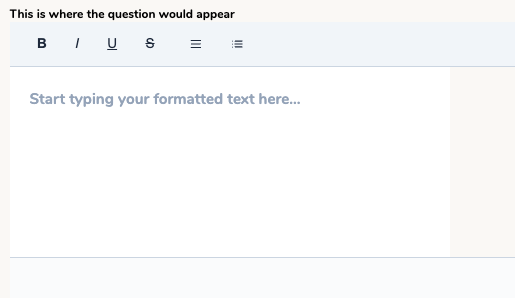
On the end user side, they will be presented with a Rich Text Comment box as shown below. Formatting options include bold, italics, underline, and bulleted or numbered lists. Unlike previously versions of formatting that had been in SchoolFi, these formatting tools will identically map over to the PDF form.
Turning on the Rich Text Comment Box for Pre - Existing Forms
The Rich Text Comment Box can be turned on for Web Forms that have previously been made prior to November 2026.
To do this:
- Navigate to Setup > Web Forms
- Identify the form you wish to edit to contain Rich Text Comment Boxes and hit Questions
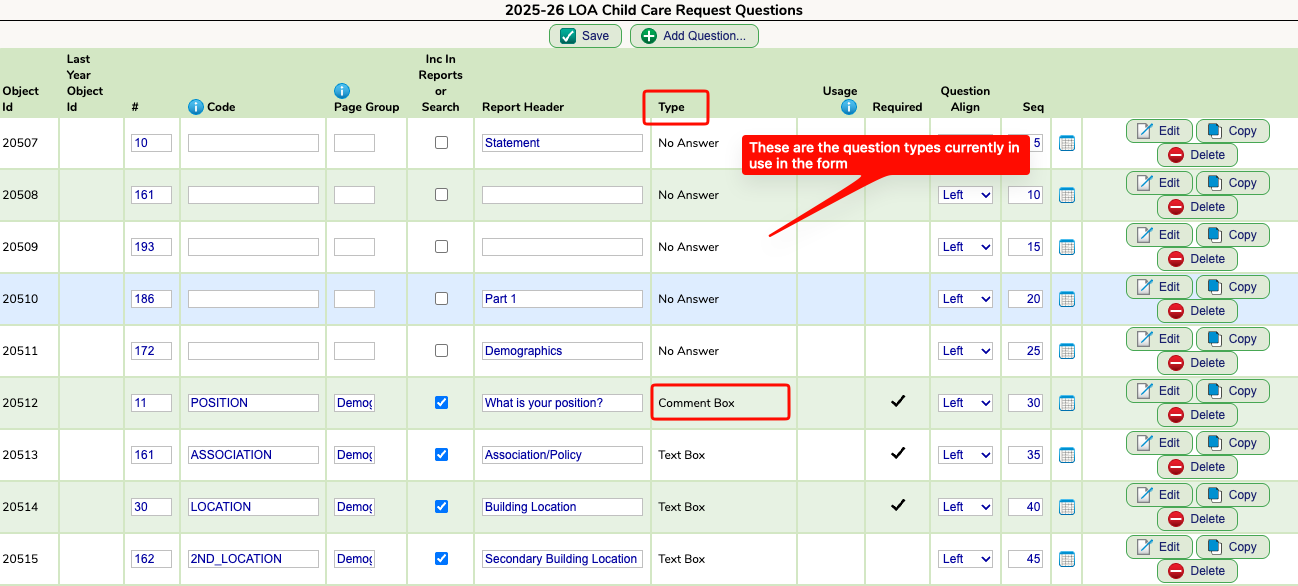
- Look under the Type Column to see the answer types that are currently in use within the Web Form
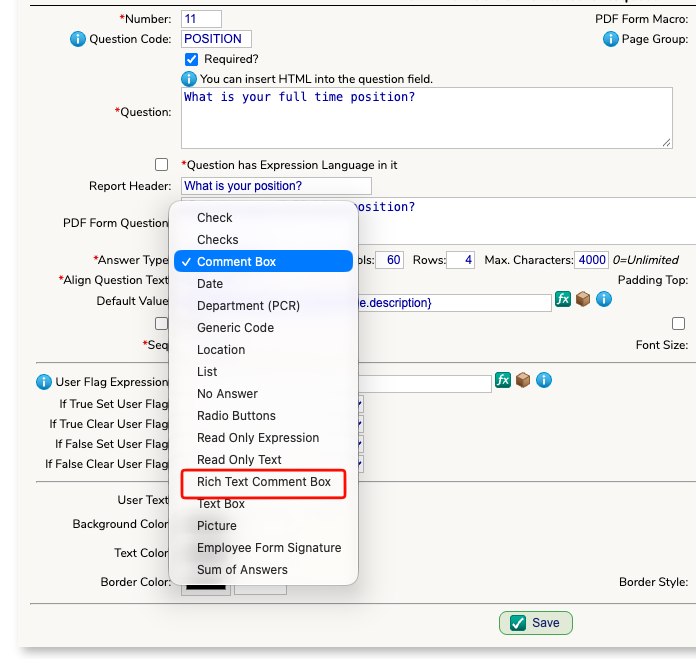
- To change the question type you can hit the edit button and switch the answer type to Rich Text Comment Box and hit save. While you can change any answer type to Rich Text Comment Box, it makes the most sense to only adjust the types that are previously listed as Comment Box.
- After saving, you will see the answer type change to Rich Text Comment Box.
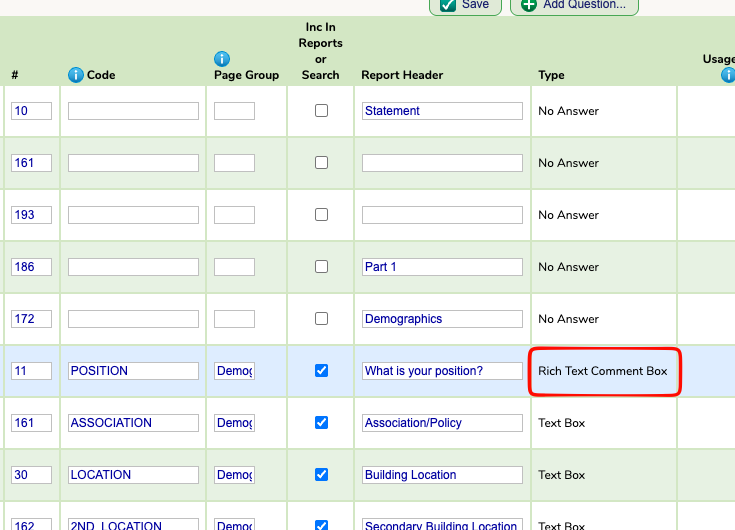
- You can repeat the process for any other type of answer you wish to change to Rich Text. The change will take place immediately for the end user.
Was this article helpful?
That’s Great!
Thank you for your feedback
Sorry! We couldn't be helpful
Thank you for your feedback
Feedback sent
We appreciate your effort and will try to fix the article