To create the LOA Child Care Request Form you will only need to Import the Web Form and then you will be able to put them together to create the Employee Form.
How the Web Form will look (when the staff are filling it out in their portal):
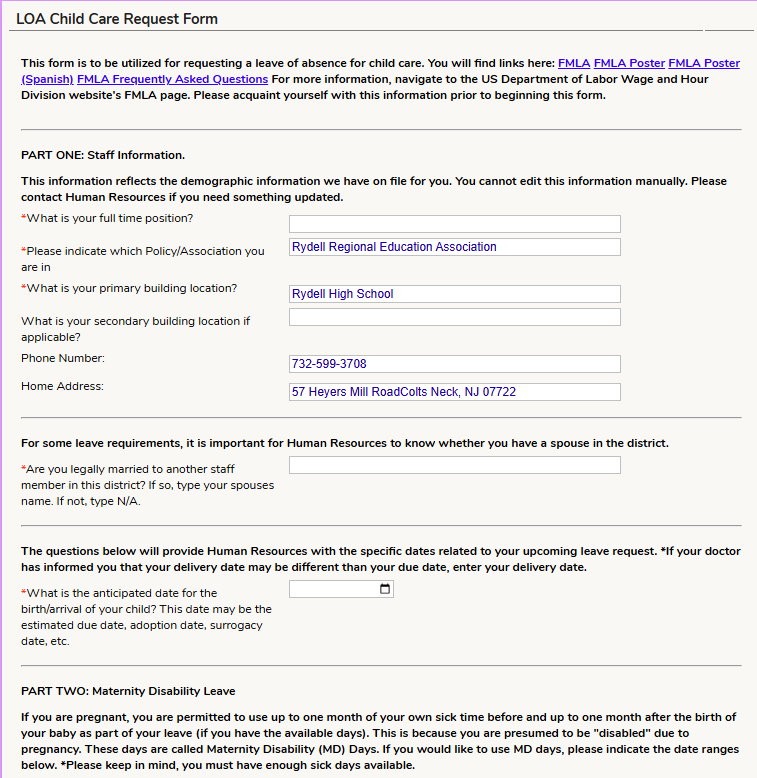
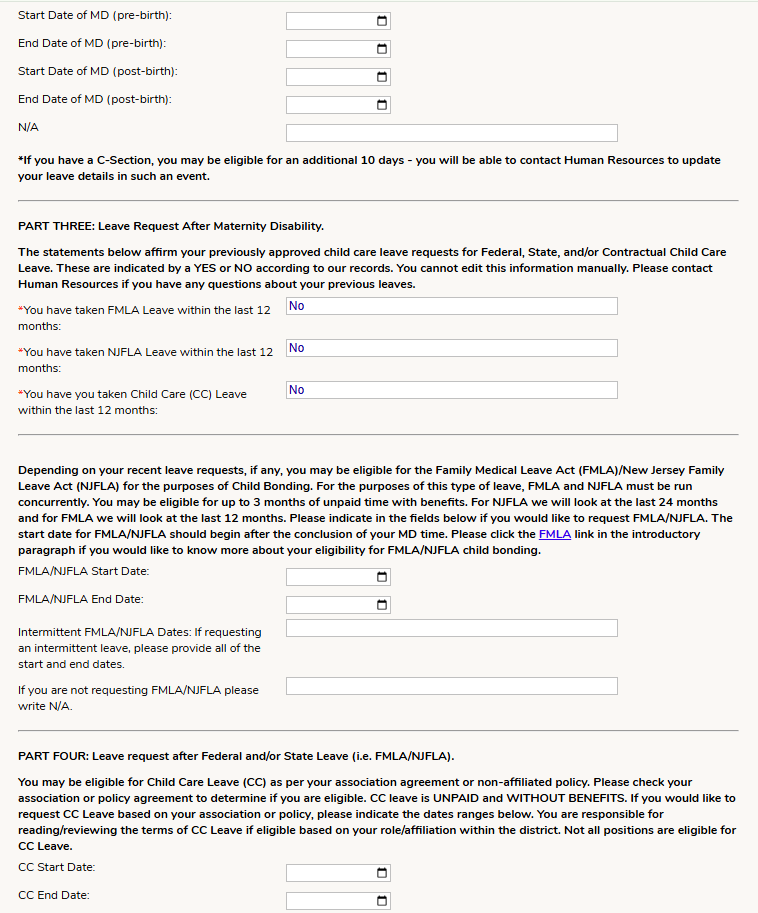
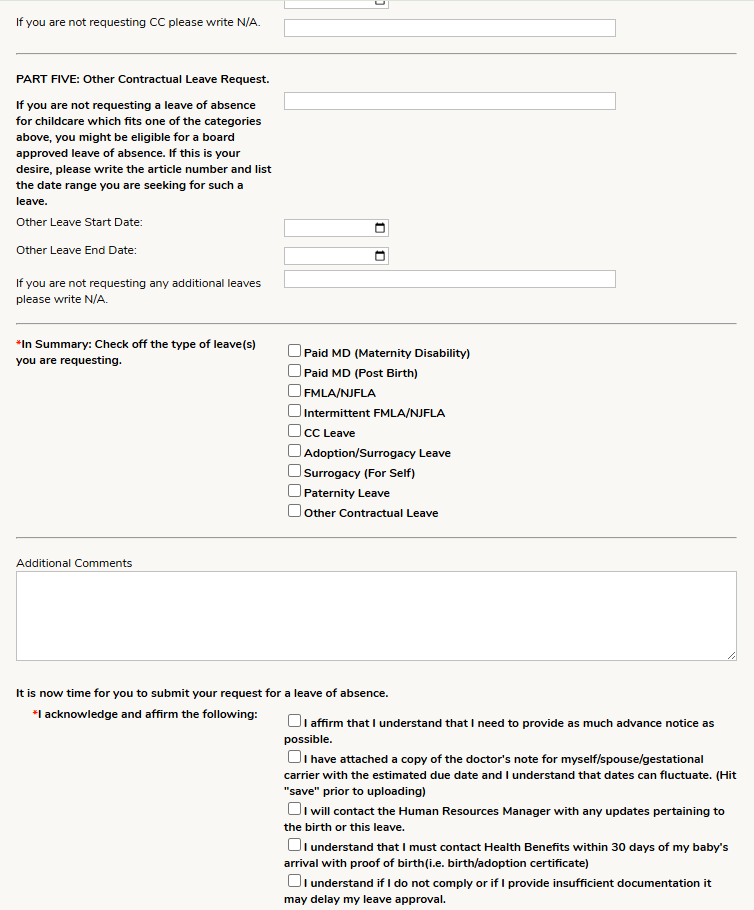
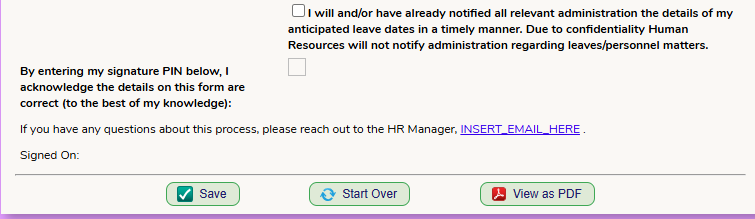
How the PDF (default form connected to the Web Form) form will look when completed:
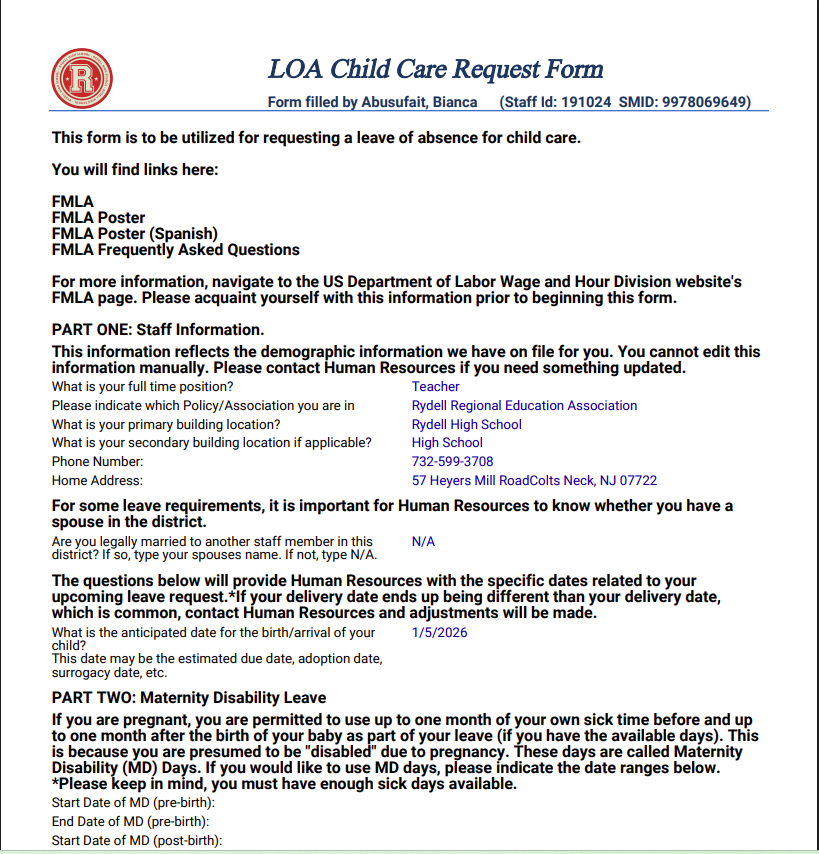
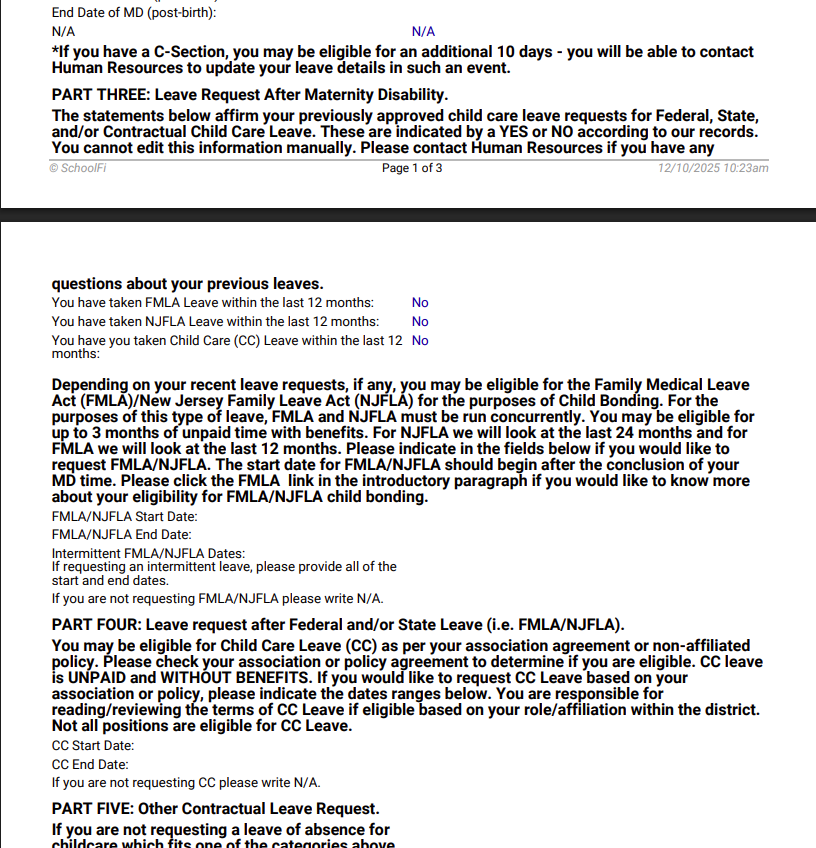
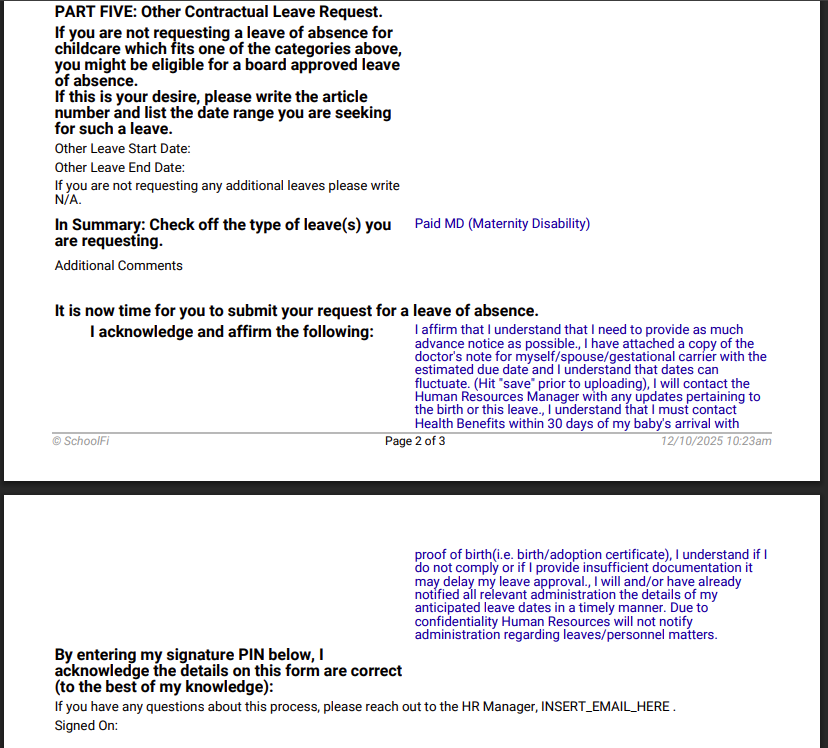
Web Form
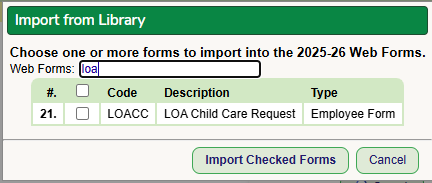
To import the Web Form, go to the Setup - Web Form - List of Web Forms screen. Select the "Import from Library" button and add the form.
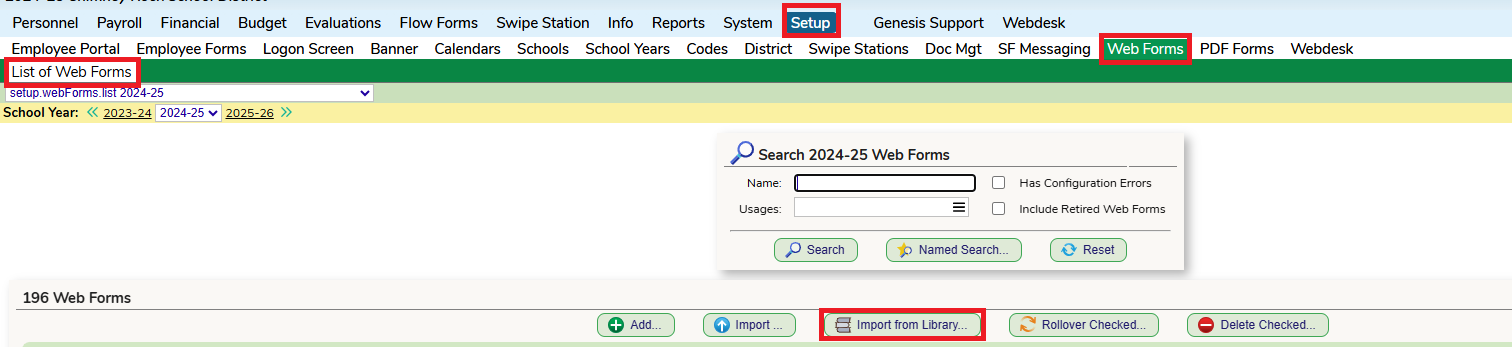
You can click into the form to make any adjustments and view the preview.
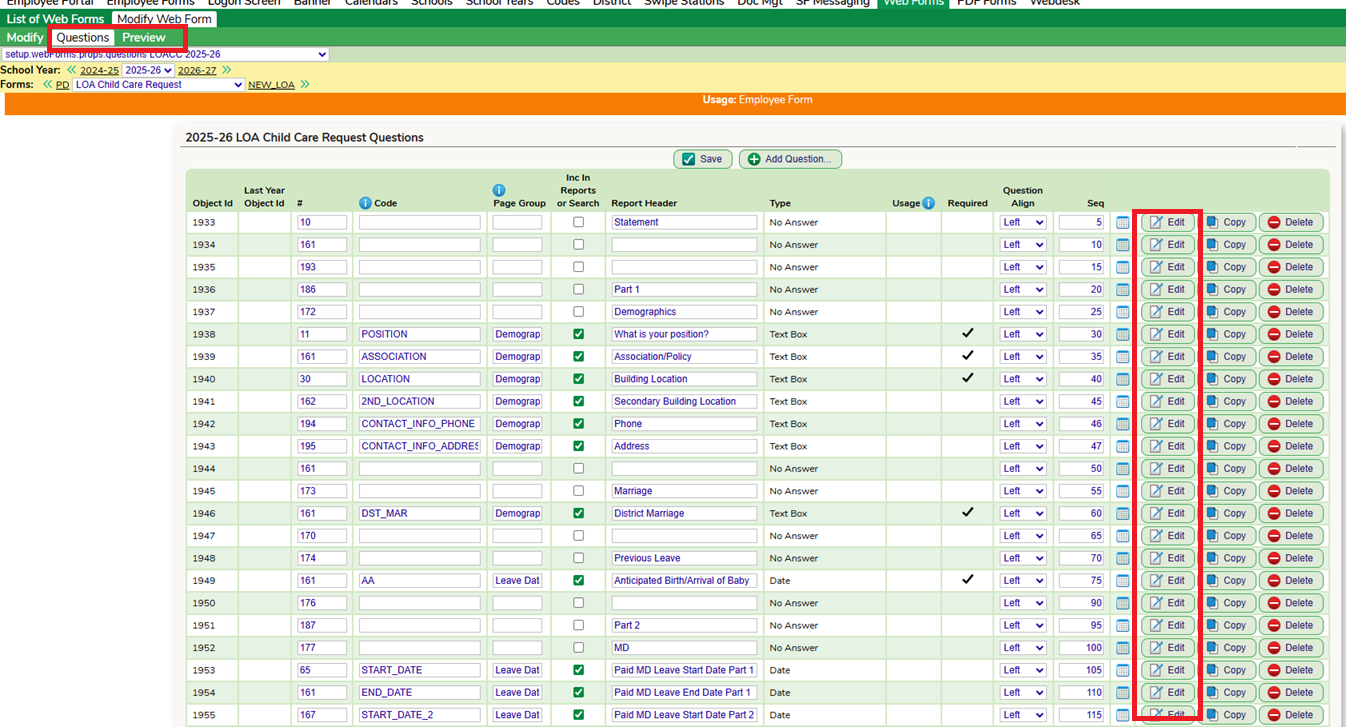
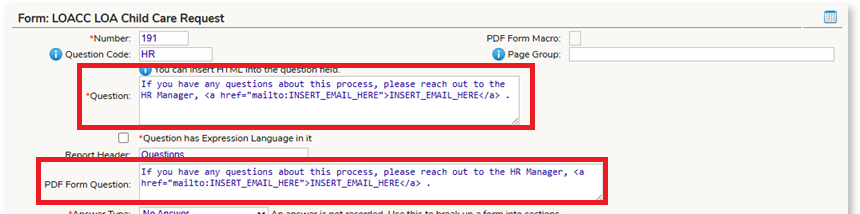
You will want to review the document before publishing to the staff to ensure any links that are used in your district are updated.
You will also need to add in an email if you would like to use one.

Employee Form
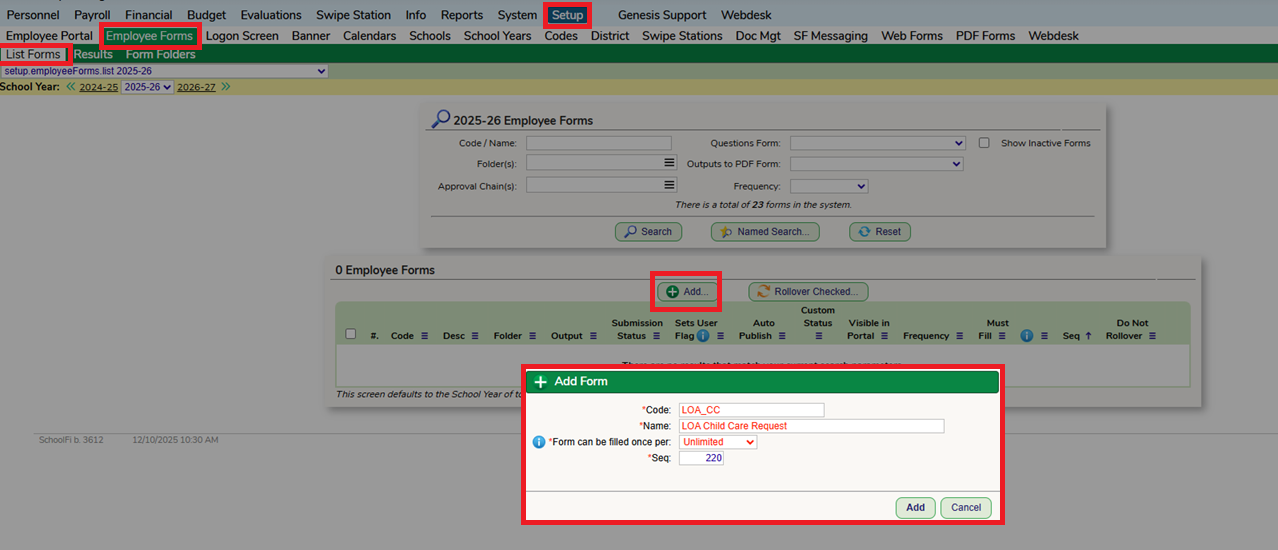
Go to the Setup - Employee Forms - List Forms screen and select "Add". Give the Form a Code, Name and select the Fill Frequency.
Add in the Imported Web Form.
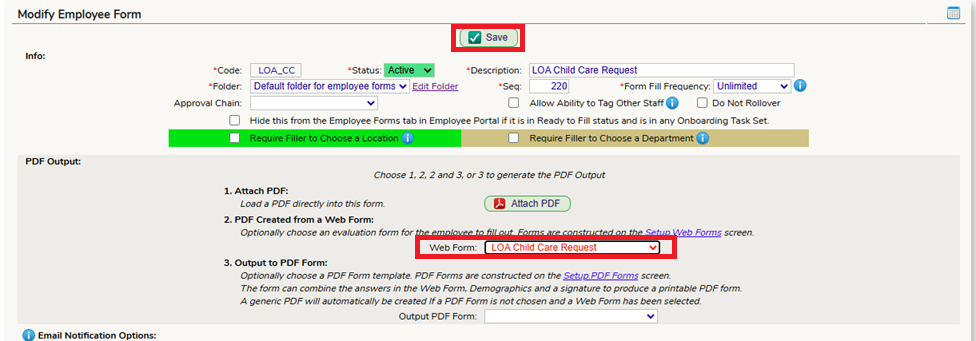
Go through the settings of the Employee Form to finish setting up the form:
Was this article helpful?
That’s Great!
Thank you for your feedback
Sorry! We couldn't be helpful
Thank you for your feedback
Feedback sent
We appreciate your effort and will try to fix the article