Requirements:
To run this report, the Budget Build system must have been rolled over.
This can be verified on the Budget.Build >> Budget.Rollover >> Budget screen.
Parameters:
- As Of Date: The default date is 10/31/2026.
- Accounts included in the report
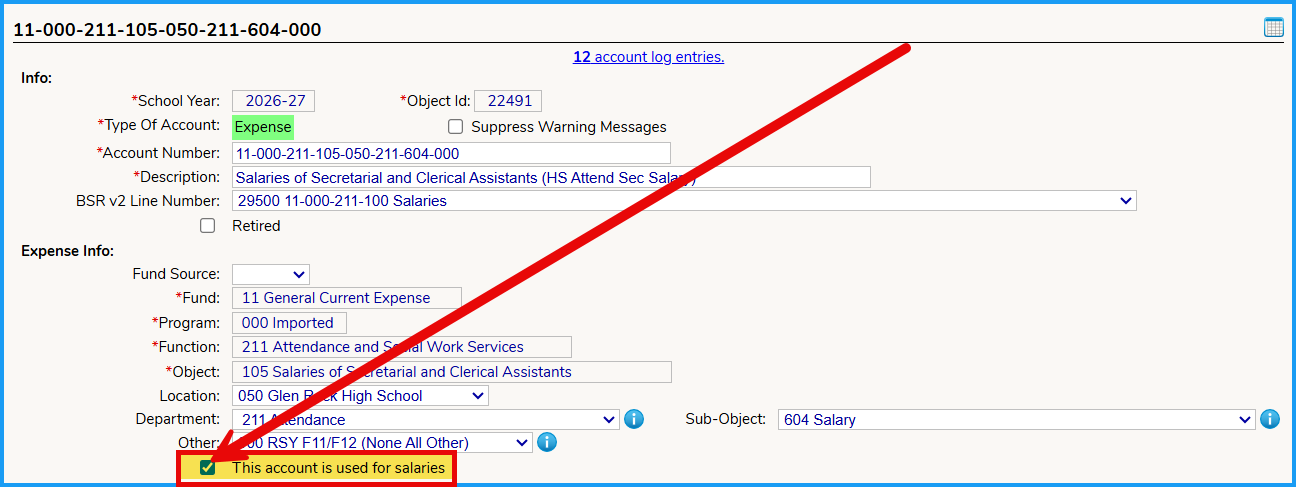
- By default, all accounts that have the "Account used for Salaries" box checked for the respective expense account.
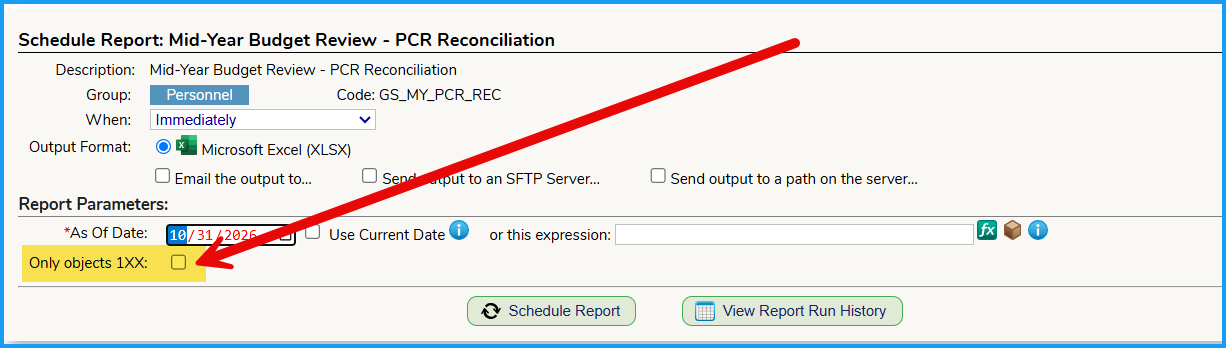
- Optionally, you can select the following option if you only want accounts with object 1XX:
- By default, all accounts that have the "Account used for Salaries" box checked for the respective expense account.
Output:
The report can output to Excel or Google sheets.
The report contains 2 sheets.
Mid Year PCR Reconciliation sheet:
This will display a row for each Budget Line number as shown below.
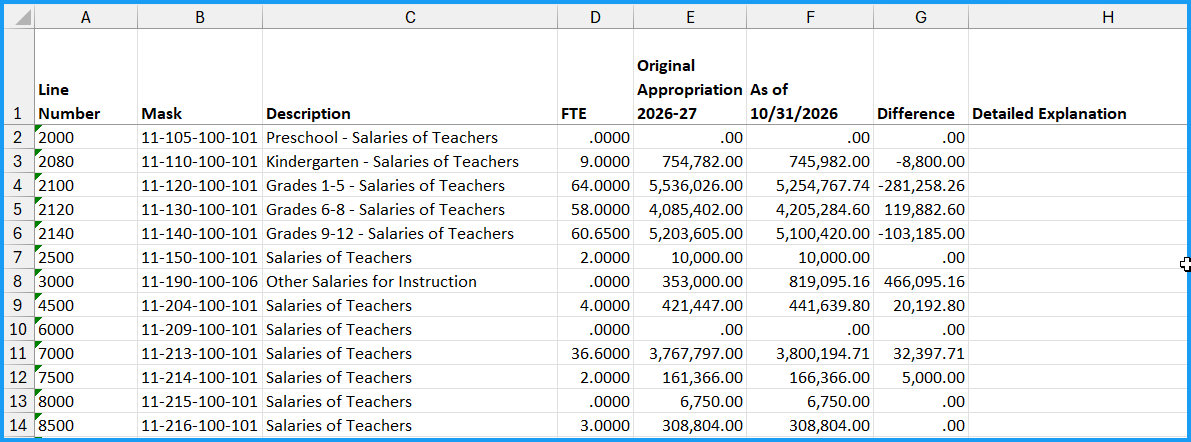
The data is calculated as follows:
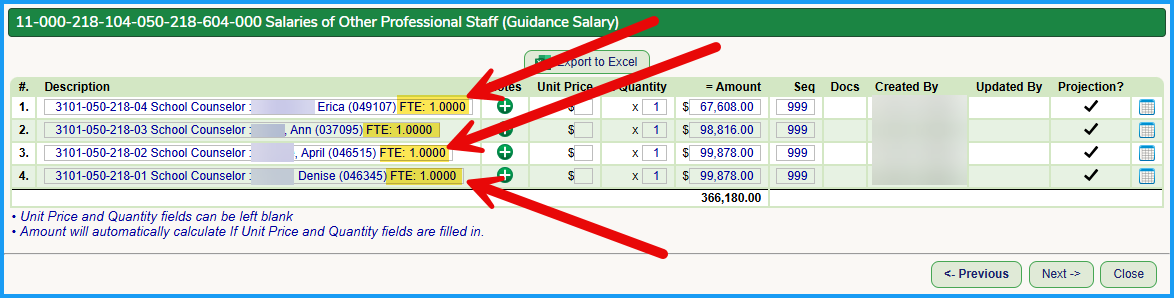
FTE: The sum of FTE from the Budget Build Screen of the Scenario that was rolled over.
The reports extracts the FTE out of the description of the items.
Original Appropriation:
This is taken from the Original Appropriation field of the accounts in the BSR Line number from the Financial Tab.
Modified Appropriations as of 10/31/yyyy:
This is taken from the Current Appropriation field of the account as it was on 10/31/yyyy from the Financial Tab.
Detailed Explanation:
The District can add in any explanations that will be submitted to the State to support the respective BSR Line number.
Audit sheet:
This sheet shows the same data as the first sheet, but lists every individual account.

Adding in an FTE into the rolled over Budget Build details:
When the Budget Build was processed in the succeeding year, the District may have manually added staff members and/or positions and did not include the "FTE: X.XXX" at the end of the Budget Build Details. We now have a button to add in the "FTE: X.XXX" text to the read-only description. Once updated, the new "FTE: X.XXX" will appear in the description and if the report is reprocessed, the Budgeted FTEs will be updated to reflect the information.
Was this article helpful?
That’s Great!
Thank you for your feedback
Sorry! We couldn't be helpful
Thank you for your feedback
Feedback sent
We appreciate your effort and will try to fix the article